For anyone whose tax forms, ID scans and statements pile up in Downloads. Mac and Windows.
Sensitive files, found and locked. On your machine. Never uploaded.
Vaulith finds tax forms, ID scans, statements and keys across your Mac or PC, watches Downloads and Desktop for new ones, and locks the ones you confirm in an encrypted Vault. Signed out, a scan opens no network connection.
Free: the scan, Watching for Downloads and Desktop, the Vault. No account, no card.
Available for macOS 13+ and Windows 10/11. All downloads.
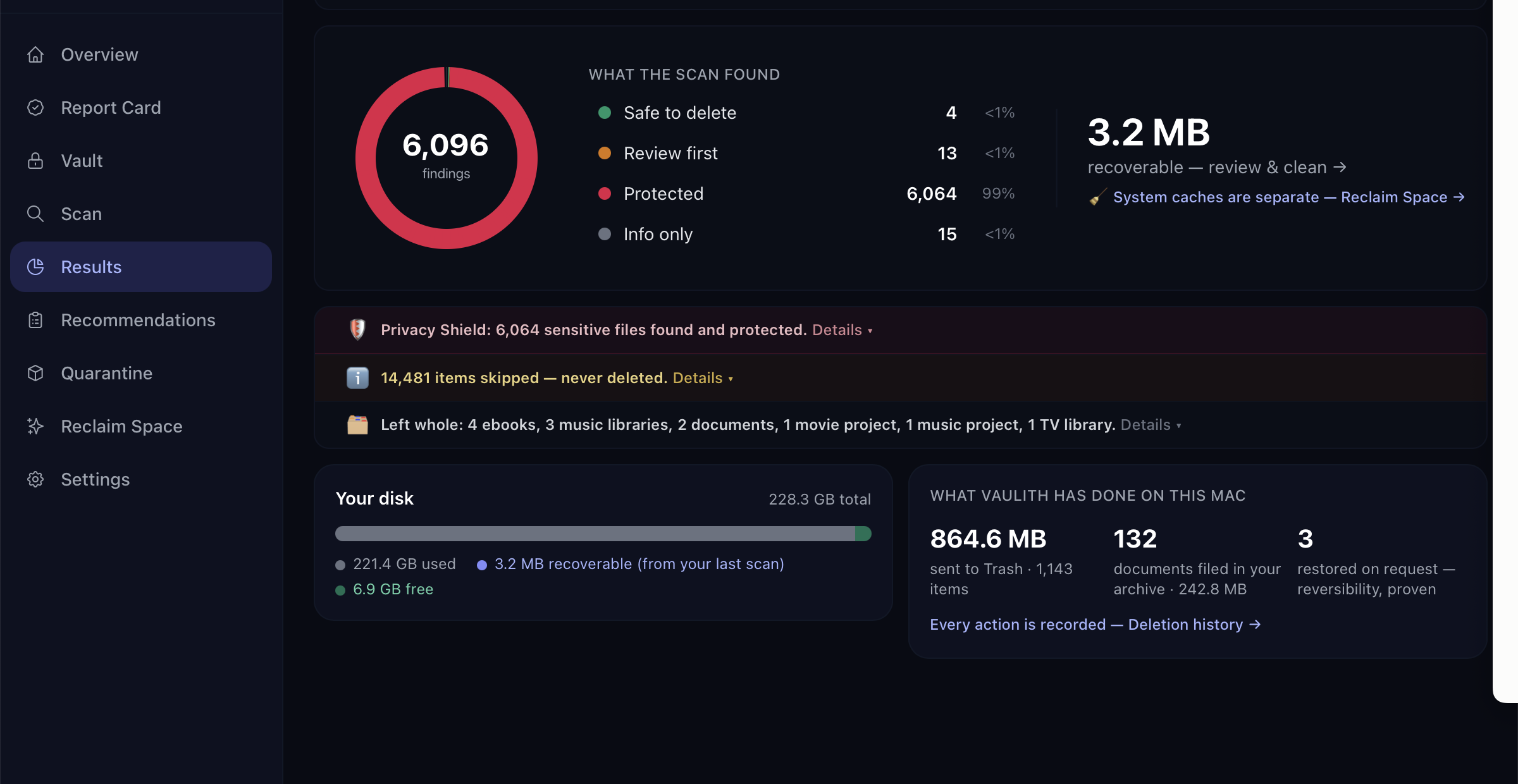
Real screenshot. Vaulith 1.1.1, the founder’s own Mac, September 13, 2026. Not retouched.
37 sensitive files exposed on one Mac, 6,096 findings in the same scan. Full size.
- Where it runsOn your device, every step
- Signed outA scan opens no network connection
- Your filesNothing is deleted outright
- Every buildNotarized, signed, checksums
Latest release v1.2.0, published September 15, 2026. Vaulith is new and prints no download count or rating. There is a claims ledger, a 60-second check and an open invitation to disprove it.
How it works
Scan once. Watch after. Lock what matters.
Scan
One scan reads your folders on this machine.
Documents, Downloads, Desktop and the sync folders you choose. It names what looks sensitive, by file name and by the words inside, and keeps every one of those off the cleanup list.
Watch
New files are checked as they land.
Downloads, Desktop and Public on every plan, from the menu bar. An alert says a count and a folder, never a file name. macOS asks once whether to allow them. Off until you turn it on.
Lock
You confirm, it encrypts, you can undo.
An encrypted copy in the open age format, the key in your keychain. The original goes only after the copy has been checked. Restore any file; undo a whole batch.
Cleanup follows the same rules: files you approve go to Quarantine first, then your Trash, recoverable at both stages, and every action is logged. Free covers the scan, Watching for Downloads, Desktop and Public, the Vault, and 500 MB of cleanup a month, with no account and no card. Pro adds your sync folders and unlimited cleanup.
Watching
Files land unprotected. Vaulith sees them land.
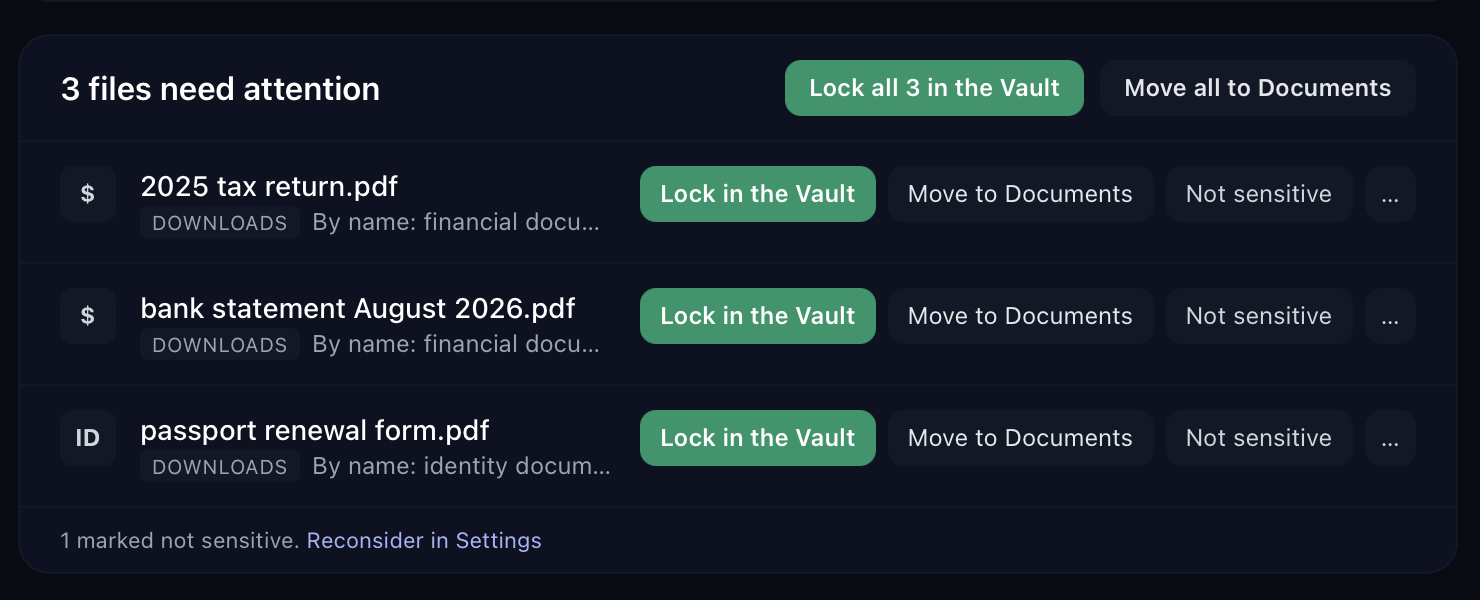
A tax form saved to Downloads, a statement dropped into a sync folder. Vaulith stays in the menu bar, checks each new file on this machine, and puts the fix in front of you: Lock in the Vault, Move to Documents, or Not sensitive.
The alert names a count and a folder, never a file name. Downloads, Desktop and Public on every plan; iCloud Drive, Dropbox, OneDrive and Google Drive on Pro. Off until you turn it on.
The report card
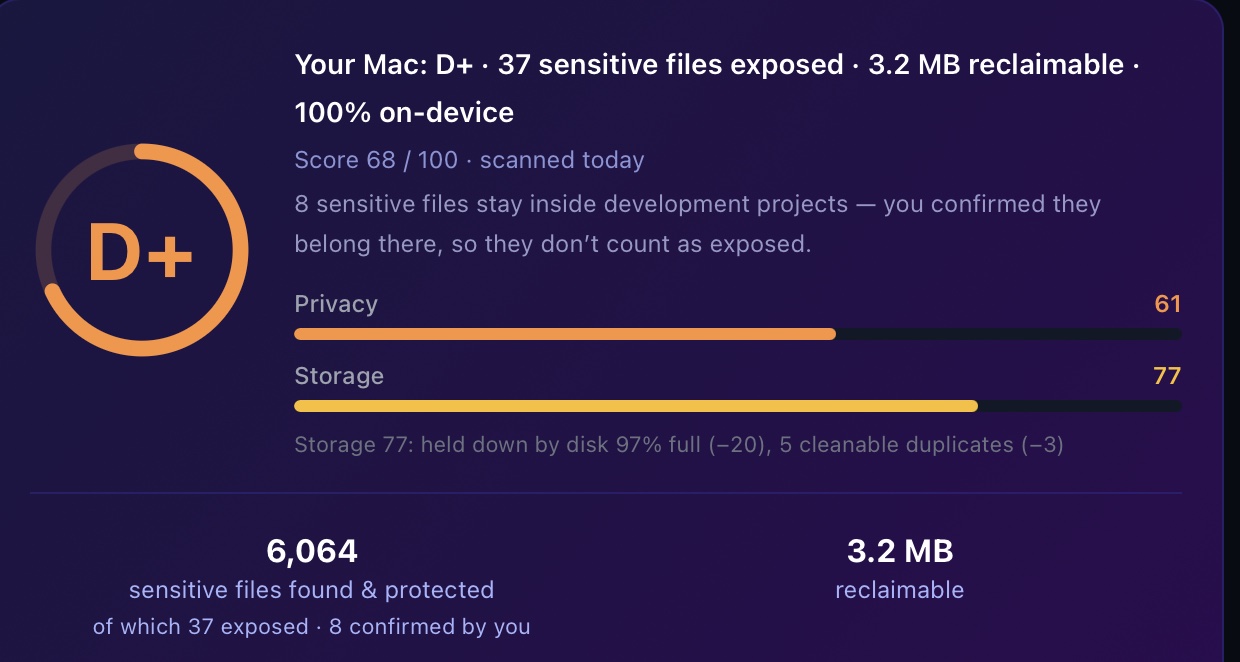
Your Mac gets a grade. The founder’s got a D+.
Computed on your device, never uploaded. The whole formula is public, every guardrail in it is a unit test, and an A+ is reachable on the free plan. Turning Watching on or off is worth zero points, by rule and by test.
Read the scoring formula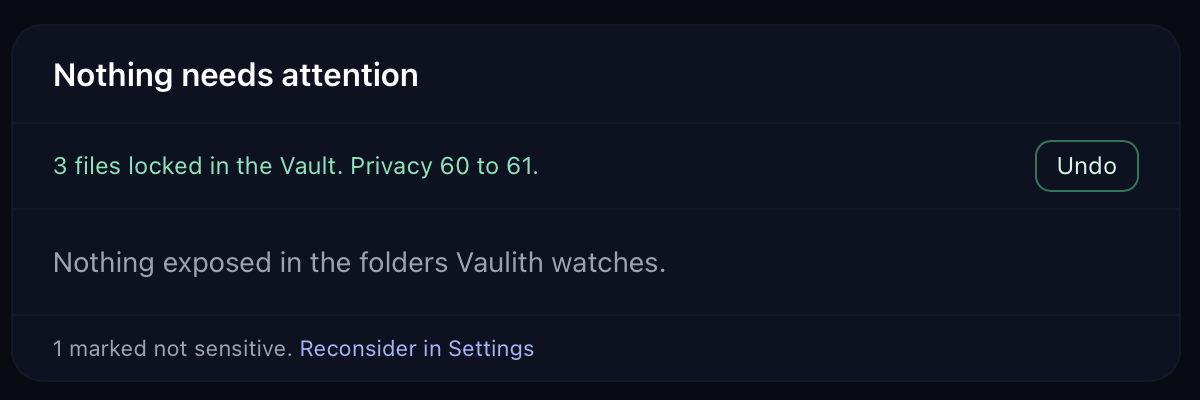
The Vault
One click locks it. Undo if you change your mind.
An encrypted copy in the open age format, the key in your keychain, a recovery key shown once. The original is removed only after the encrypted copy has been decrypted back and checked against it. Restore never overwrites, and a whole batch can be undone.
The Vault folder is yours. Uninstalling never touches it.
The 60-second check
Run one command while it scans.
Signed out, a scan opens no network connection. The command below lists what Vaulith has open, every two seconds.
A connection that is not on the published expected-traffic list earns a public disclosure and named credit. The Windows command and deeper checks are on the full method page.
Read the full recipeB=$(pgrep -f com.apple.WebKit.Networking | sort); open -a Vaulith; sleep 5; \
H=$(comm -13 <(echo "$B") <(pgrep -f com.apple.WebKit.Networking | sort) | paste -sd, -); \
P="$(pgrep -x vaulith | paste -sd, -)${H:+,$H}"; \
while true; do date; /usr/sbin/lsof -nP -a -i -p "$P" | tail -n +2 | grep . \
|| echo "Vaulith: no open network connections"; echo; sleep 2; doneOutput from a run on August 12, 2026, while gigabytes were read
Tue Aug 12 09:41:07 EDT 2026
Vaulith: no open network connections
Plans
Free to scan, watch and lock. Pay for reach and capacity.
Free
$0forever
Scan your whole disk free and clean up to 500 MB of it a month.
- Sensitive-file protection built in
- Watches Downloads, Desktop and Public, with alerts
- The Vault, encrypted storage for sensitive files
- Duplicates, large files and Reclaim Space
- Web dashboard with scan history
Vaulith Pro
$29per year
Billed yearly, or $3.99/mo ($47.88/yr). Cancel anytime.
- Unlimited cleanup, no cap
- Watches your sync folders too: iCloud Drive, Dropbox, OneDrive, Google Drive
- Up to 3 devices, Mac and Windows
- Email support
Founding Member
$129once
One payment. First 500 members or through October 11, 2026, whichever comes first, then $179.
- Everything in Vaulith Pro, forever
- All future v1.x updates
- No subscription, ever
No card to start. 7-day money-back on first-time subscriptions and the Founding license. The Honest Pricing Pledge. Compare all plans.
Download
Download without telling us anything.
No account, no email, no card. Signed out, Vaulith asks for nothing.
7-day money-back guarantee on first-time subscriptions and the Founding license.
Every build is published openly: version history, SHA-256 checksums, how to verify.